Download Links

Simulate 3D | SBW (Win32) | Bifurcation Discovery | FluxBalance
Showing posts with label sbmllayout. Show all posts

Sunday, September 1, 2013

Systems Biology Workbench 2.10 (RC1)

As hinted at, a couple of days ago, we are shortly before the release of the next version of SBW with enhancements for all associated programs. Today I want to announce a new release candidate. On SourceForge you will find installers for Windows, OSX as well as Linux (x86 & x64). You can download them from:

http://sourceforge.net/projects/sbw/files/sbw/2.10.0/rc1/

I’ve also created virtual machines & live images with SUSE studio, that are available online:

32bit OpenSUSE 12.3,
64bit OpenSUSE 12.3

Any feedback is appreciated.

SBW-Logo

Wednesday, July 24, 2013

SBML Layout Specification RC2

Finally, after a good 10 years since the first presentation of a layout extension to SBML, the specification has been sent to the SBML editors for approval. One might think it is actually quite easy to describe where something is, and it should not take all that long to agree on a bare minimum for a standard, but be that as it may, we are now in the final stretches. If you like, you could have a look at the specification:

SBML Layout Specification RC2

It is of course fully supported by libSBML. Now that the specification is in the approved format for L3 packages, including a whole number of validation rules, validation is currently added to libSBML and will be available from the Online Validator with the acceptance of the package. In the meantime you could use the

SBML RNG Online Validator

Software support is shaping up: SBW has been supporting SBML Layout since 2005, and COPASI has it enabled in publicly released builds since last year. Both software tools also import CellDesigner annotations! At last years HARMONY meeting the layout specification has received its biggest change, by adding a GeneralGlyph, that makes it possible to also layout elements, that previously where not possible. Support for that is available in the latest SBW builds,

SBML Online Layout Viewer

And within the COPASI codebase, to be released sometime soon.Here a screenshot, showing the exchange between COPASI & SBW of an SBML Level 3 model with a GeneralGlyph that represents an SBML Event, including Trigger and Event Assignment:

image

Sunday, February 12, 2012

Systems Biology Workbench - 2.9.0

I’m pleased to announce the release of SBW 2.9.0. This release is available for the following platforms:

  • Windows
  • Linux x86 / x64
  • OS X
  • portable Apps

This release improves support for the exchange standards: SBGN-ML, SED-ML (including the nested proposal v2), and of course SBML. RoadRunner simulates a wider range of SBML models. You can get the new release from Sourceforge:

And the portable installer from:

Screenshots
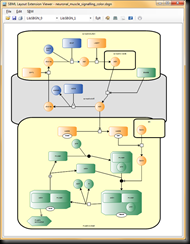
image

image

image

Linux

Thanks to bitrock, we are finally able to provide a new range of linux installers (as well as 32bit and 64bit RPMs and DEB packages). When installing as root, SBW will be installed into /opt/sbw-2.9.0. Otherwise it will be available in the users home directory. In these directories you will find shortcuts to all available programs.

Dependencies: most SBW applications require Mono 2.10 to be installed (we recommend to install mono-complete). If you try to run SBW on an older linux distribution that does not include mono 2.10 in its repository here are some installation scripts for fedora and ubuntu that will help you to get it running, it should be easy enough to adapt them to centos when needed. Here the example for ubuntu:

mkdir mono-2.10
cd mono-2.10
wget --no-check-certificate https://github.com/nathanb/iws-snippets/raw/master/mono-install-scripts/ubuntu/install_mono-2.10.sh
chmod 755 install_mono-2.10.sh
./install_mono-2.10.sh

If this still seems to adventurous for you, I’ve created a 32bit and a 64bit virtual machine that runs SBW 2.9.0. It includes Live CDs, Virtual Machines and hard drive images. Simply start the machine and find the SBW shortcuts in the start menu. (They simply use the SBW rpm installer!).

OS X

We’ve listened to all your feedback about SBW being difficult to install. So this time around we don’t use any installation. Simply drag the SBW folder into your Applications folder and you are good to go.

As always, we recommend installing XQuartz and Mono prior to running SBW. The current Mono release 2.10.8 (and the 2.10.9 beta) unfortunately have a regression that causes the some application to stop working. The last known working release is 2.10.5 as available from:  http://download.mono-project.com/archive/2.10.5/download/

As for XQuartz, I’m using: http://xquartz.macosforge.org/trac/wiki/X112.7.0

Full Change Log

Feb 2012
Changes in Version 2.9.0
===========================

SBML Layout:
  - Reading Support for SBML Layout Extension (for SBML L3)
  - (at the moment the library only writes annotations though)
  - Stability and performance improvements for Layout Viewer.
  - SBGN upgrade
  - Bug Fix: Global Render Information were not correctly read
  - Stability: Now works even independently of SBW
   
SED-ML:
  - Support for Kisao Terms (full lookup and browsing of the
    hierarchy).
  - Bug Fixes for error correction facility

RoadRunner:
  - BugFix: non integral stoichiometry for L1 models
  - BugFix: model refused to load when non-L3 model used ids in speciesreferences
  - BugFix: L1 model with local parameters refused to load
  - BugFix: L1 model with non-integral stoichiometry was incorrect
  - BugFix: hasOnlySubstanceUnits was ignored in some places

NOM:
  - added methods:
    reorderRules : string reorderRules(string)
    inlineFunctionDefinitions : string inlineFunctionDefinitions(string)
  - (rules are automatically reordered by loadSBML, this will allow other modules
    to work correctly without code change)
  - fix: promote local to global parameters works for L1 models
   
Translators:
  - sort assignment rules
  - added command line option -f <sbmlfile> to translate the SBML file
    and write the file to stdout, so they can be used from the command line.
 
Portable:
  - we also have a version of SBW that you can install on a flash drive
    using portable apps.
 
All modules:
  - updated to use libSBML 5.4.0

JDesigner:
  - Fixed Chinese characters appearing when assignment rule was selected for editing.

Friday, December 23, 2011

LibSBML 5.3.0 Released & SBML Render Package

Just in time for Christmas we have just released LibSBML 5.3.0. The essentials are:

like for the 5.2.0 release we again provided an alternative source archive that contains updated snapshots of all currently available SBML Level 3 Packages:

SBML Rendering Package

The newest addition is a port of Ralph Gauges libSBML 4 implementation patch to the libSBML 5 package API. It supports both serialization as SBML Level 3 package and Level 2 annotation. However, there were some minor changes along the way:

  • Most changes involve the plugin API, instead of directly accessing the render information from the Layout objects, you use the plugin API:

      Model* model = doc->getModel();

    LayoutModelPlugin *plugin = (LayoutModelPlugin*) model->getPlugin ("layout");

    if (plugin == NULL || plugin->getNumLayouts() == 0)
    {
    cerr << "The loaded model contains no layout information, please add these first." << endl;
    return 3;
    }

    RenderListOfLayoutsPlugin *lolPlugin = (RenderListOfLayoutsPlugin*) plugin->getListOfLayouts()->getPlugin("render");
    if (lolPlugin != NULL && lolPlugin->getNumGlobalRenderInformationObjects() > 0)
    {
    cout << "The loaded model contains global Render information. " << endl;
    }


    the the plugin classes then have all the elements you would need. The Render Extension extends three classes:


    • ListOfLayouts: Entry point for the ListOfGlobalRenderInformation


    • Layout: Entry point for the ListOfRenderInformation


    • GraphicalObject: allows to set the role of a graphical object in order to pin a specific render style to it.


  • There also is a minor change with the way that the XML is written out. Each attribute defined in the Render specification, is written out as belonging to the “render” namespace. With one exception, while reading through the Render specification I could not find one different between the BoundingBox defined in the Layout extension and the one used by the Render LineEndings. So rather than re-implementing another BoundingBox in a different namespace, I made the LineEndings reuse the layout bounding box.


Let me know how the extension is working for you.

Saturday, November 5, 2011

Introducing sysbioapps/Layout

Ever since the SBW applications have been pulled from sys-bio.org and are only available via IP I am working on a new version for each of these applications. Today I’ve made the new version of my Layout web application available:

http://sysbioapps.dyndns.org/Layout 

See it live:

Unable to display content. Adobe Flash is required.

Features

The new application has the same basic features as the old one:

  • upload of an SBML file
  • displaying SBML Layout / SBML Render Format
  • displaying JDesigner / JDesigner 2 / CellDesigner annotation
  • generating a layout
  • exporting images / SVG / PDF

New in this version:

  • multiple file support
  • Chrome / Firefox: upload multiple files
  • Chrome / Firefox: drag and drop files onto the web site to upload
  • support for SBGN-ML

Implementation

The new version has been implemented using ASP.NET MVC3  and JQuery / JQueryUI. The actual heavy lifting is performed by the SBML Layout Library. The PDF export is made possible through sbml2tikz, followed by a compilation by pdflatex.

As always any feedback is welcome.

Thursday, August 25, 2011

SBGN-ML Render Comparison

SBGN-ML, the markup language developed as part of the libSBGN project, is nearing it’s Milestone 2 release. The SBML Layout library currently fully implements the Process Diagram notation of SBGN-ML. (Work on implementing Activity Flow / Entity Relationship diagrams has started but is not anywhere close to ready.)

This is to announce a new online application:

http://sysbioapps.dyndns.org/RenderComparison/

This is how the page looks:

RenderComparison

The site displays all current SBGN files from ProcessDiagram, ActivityFlow and EntityRelationship. Only the SBMLLayout column will be rendered every time. Information from PathVisio and SBGN-ED are cached and updated periodically.

You can change the directory, that is being displayed by selecting the Customize button on the top of the page, these options are available:

image

Where a different URL can be chosen (you could for example display the examples from Milestone 1 or the general examples). You also can display or hide individual columns.

As last option you can directly upload or point to any URL of an SBGN file that should be rendered.

image

More at COMBINE …